Invoice PDF template
A one-page invoice with a logo area, billing details, line items, tax and payment terms. You send the numbers. CastPDF works out the totals and hands back a finished PDF.
- A4, portrait
- 1 page
- Free to start
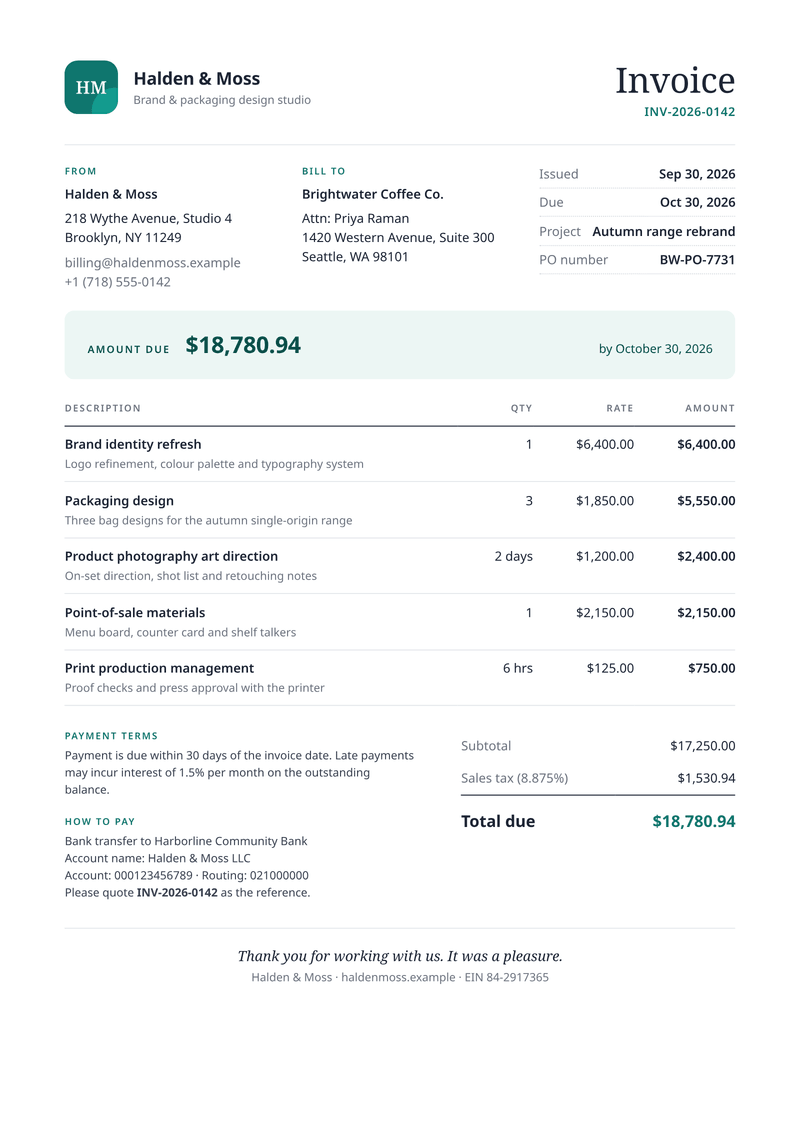
What this invoice template is for
This template turns order or project data into a clean, professional invoice. It suits freelancers, design studios, agencies and software businesses that bill customers every month.
You send the quantities and prices. The template adds up each line, works out the tax at your rate and prints the total due. Send one the moment an order is paid, or at the end of each month.
What a good invoice includes
- A unique invoice number, so you and your customer can refer to it.
- The date of issue and the date payment is due.
- Your details and your customer’s: names, addresses and contacts.
- Each line item, with the quantity and the price.
- The tax rate and tax amount, shown apart from the subtotal.
- The total due, and clear instructions on how to pay.
- Your tax or company number, where the law asks for one.
The fields it fills
Each field below fills one part of the invoice. Change the data and keep the design, or change both.
| Field | What it fills |
|---|---|
| General | |
currency | Currency for every amount, such as USD or EUR. |
locale | How numbers and dates are written, such as en-US. |
| Company | |
company.name | Your business name. |
company.initials | The letters in the logo mark. |
company.tagline | A short line under your name. |
company.street | Your street address. |
company.city | Your city, state and postcode. |
company.email | Your billing email address. |
company.phone | Your phone number. |
company.website | Your website. |
company.tax_id | Your tax number. |
| Customer | |
customer.name | The customer’s business name. |
customer.contact | The person the invoice is for. |
customer.street | The customer’s street address. |
customer.city | The customer’s city, state and postcode. |
| Invoice | |
invoice.number | The invoice number. |
invoice.issued | The date of issue. |
invoice.due | The date payment is due. |
invoice.project | The project or order name. |
invoice.po_number | The customer’s purchase order number. |
invoice.tax_rate | The sales tax rate, in percent. |
invoice.terms | Your payment terms. |
invoice.note | A thank-you line at the bottom. |
| Payment | |
payment.bank | Your bank’s name. |
payment.account_name | The name on your bank account. |
payment.account | Your account number. |
payment.routing | Your bank’s routing number. |
| Items | |
items[].description | What you sold, one line each. |
items[].detail | A short note under the line. |
items[].quantity | How many. |
items[].unit | The unit, such as days or hrs (optional). |
items[].unit_price | The price of one unit. |
How to make your invoice PDF
Two ways to get your invoice: try it in the dashboard, then connect your app when you are ready.
Without code: the dashboard
- 1Sign up free. You don’t need a card.
- 2Pick the invoice template.
- 3Put your own details into the invoice’s sample data, and change the words and colours.
- 4Watch the free preview as you type. It carries a “CASTPDF TEST” watermark.
- 5Verify your email and press Generate PDF for a clean copy. It counts as one PDF on your plan.
To make each invoice from your own app instead, send your data with a live key, as shown here.
For developers: one request
Copy the template ID from the editor. Save your invoice data in a file with that ID, then send it in one request. The reply is the finished PDF.
curl https://api.castpdf.com/v1/pdf \
  -H "Authorization: Bearer $CASTPDF_API_KEY" \
  -H "Content-Type: application/json" \
  -d @request.json \
--output invoice.pdf{
"template_id": "YOUR_TEMPLATE_ID",
"data": {
"currency": "USD",
"locale": "en-US",
"company": {
"name": "Halden & Moss",
"initials": "HM",
"tagline": "Brand & packaging design studio",
"street": "218 Wythe Avenue, Studio 4",
"city": "Brooklyn, NY 11249",
"email": "[email protected]",
"phone": "+1 (718) 555-0142",
"website": "haldenmoss.example",
"tax_id": "84-2917365"
},
"customer": {
"name": "Brightwater Coffee Co.",
"contact": "Priya Raman",
"street": "1420 Western Avenue, Suite 300",
"city": "Seattle, WA 98101"
},
"invoice": {
"number": "INV-2026-0142",
"issued": "2026-09-30",
"due": "2026-10-30",
"project": "Autumn range rebrand",
"po_number": "BW-PO-7731",
"tax_rate": 8.875,
"terms": "Payment is due within 30 days of the invoice date. Late payments may incur interest of 1.5% per month on the outstanding balance.",
"note": "Thank you for working with us. It was a pleasure."
},
"payment": {
"bank": "Harborline Community Bank",
"account_name": "Halden & Moss LLC",
"account": "000123456789",
"routing": "021000000"
},
"items": [
{
"description": "Brand identity refresh",
"detail": "Logo refinement, colour palette and typography system",
"quantity": 1,
"unit": "",
"unit_price": 6400
},
{
"description": "Packaging design",
"detail": "Three bag designs for the autumn single-origin range",
"quantity": 3,
"unit": "",
"unit_price": 1850
},
{
"description": "Product photography art direction",
"detail": "On-set direction, shot list and retouching notes",
"quantity": 2,
"unit": "days",
"unit_price": 1200
},
{
"description": "Point-of-sale materials",
"detail": "Menu board, counter card and shelf talkers",
"quantity": 1,
"unit": "",
"unit_price": 2150
},
{
"description": "Print production management",
"detail": "Proof checks and press approval with the printer",
"quantity": 6,
"unit": "hrs",
"unit_price": 125
}
]
}
}Make it yours
- Swap the initials mark for your own logo. Link to the image, or put it in the template itself.
- Change the colours and fonts in the style section. The preview updates as you type.
- Add fields such as a discount or a shipping line to the sample data and the layout.
- Switch from A4 to US Letter in the template settings. The layout fits both.
- Every save is a new version, and your last 50 versions are kept.
Long invoices, handled
Long invoices are handled for you. When the items run onto a second page, the table header repeats at the top of the new page.
The totals and payment details form one block. It stays together on one page where possible, so a total never sits alone.
Questions about invoice PDFs
What should an invoice include?
How do I number invoices automatically?
Can I create an invoice PDF from JSON data?
Can I add my logo and change the colours?
How do I send invoices automatically from my app or store?
What if an invoice has more items than fit on one page?
Is a PDF invoice valid for tax purposes?
Related templates
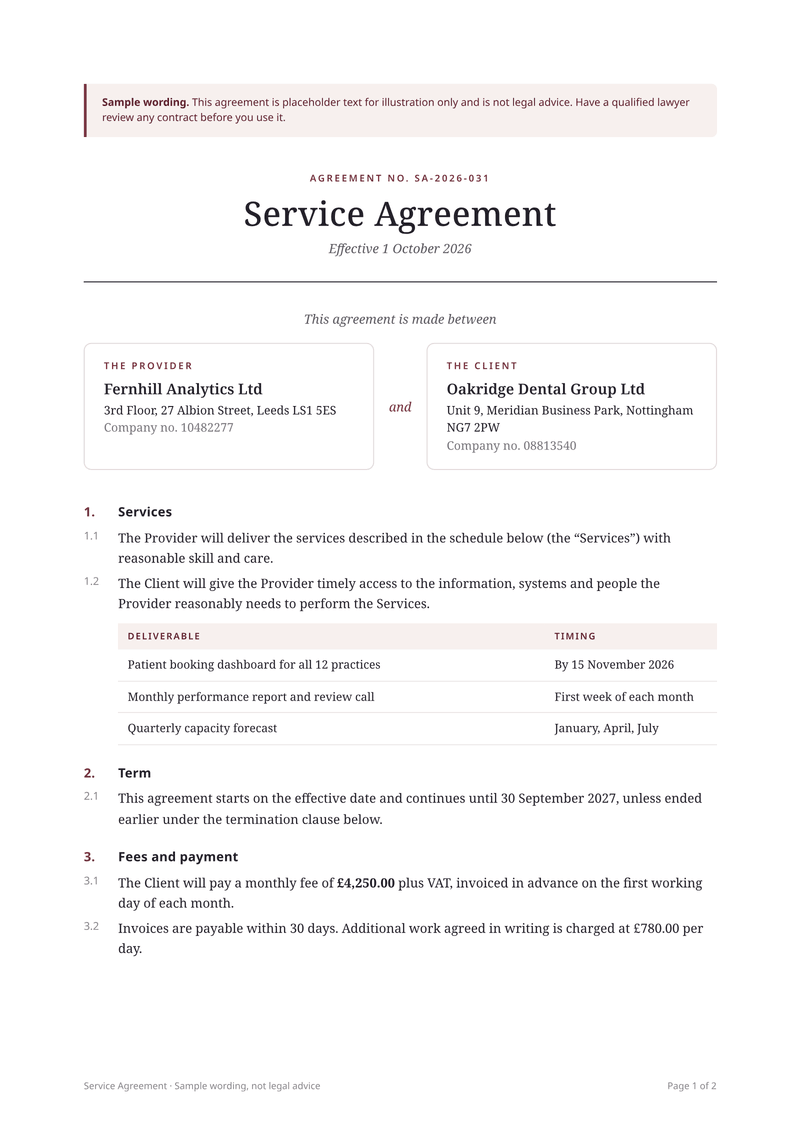
Service agreement
A4, portraitA service agreement filled with each client’s details.
Make your first invoice PDF
Sign up free, pick the invoice template and make it yours. The Free plan includes 100 PDFs a month, and you don’t need a card.