A free invoice template that fills itself
Send the order. Get the invoice. You send quantities, prices, discounts and VAT rates. CastPDF works out every line and the total, and hands back a finished PDF with your logo.
Making them from your own data? Read the invoice PDF API guide.
- A4, portrait
- 2 pages in the sample
- Free to start
What this invoice template is for
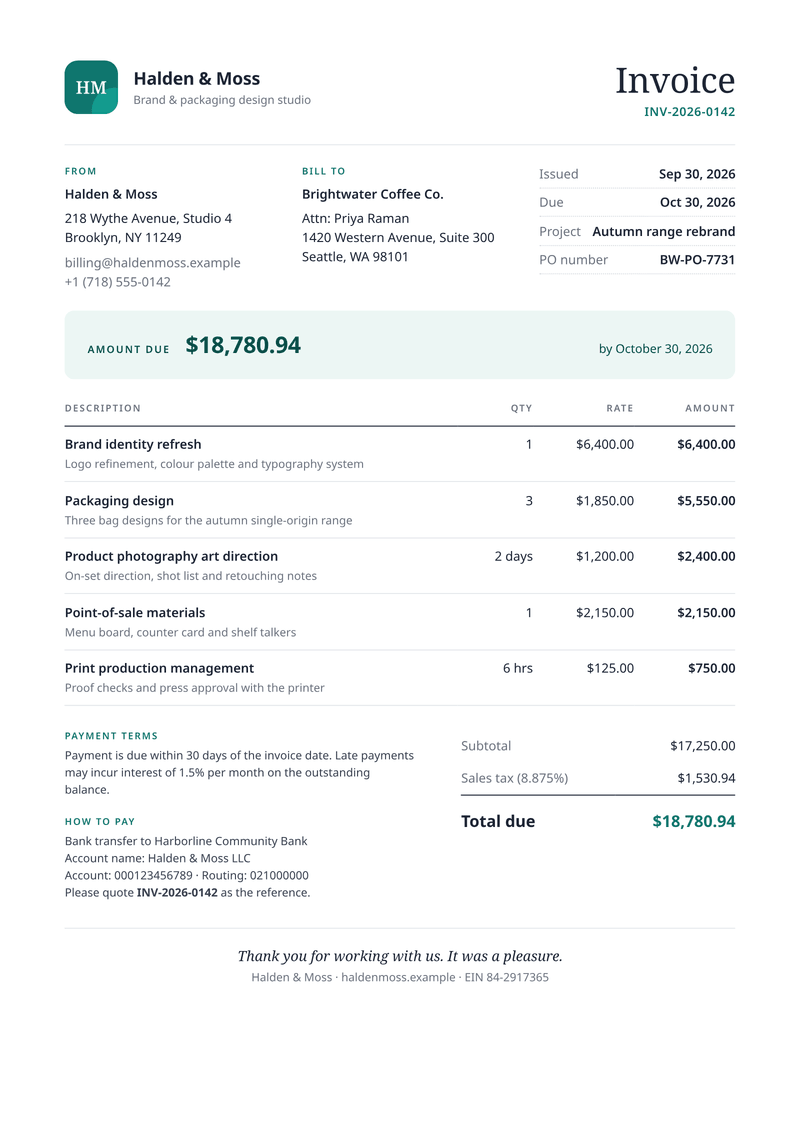
This template turns order or project data into a clean, professional invoice. It suits freelancers, design studios, agencies and software businesses that bill customers every month.
You send the quantities, prices, any discount and the VAT rate of each line. The template works out every line, shows the VAT for each rate and prints the total due.
What a good invoice includes
- A unique invoice number, so you and your customer can refer to it.
- The date of issue and the date payment is due.
- Your details and your customer’s: names, addresses and contacts.
- Each line item, with the quantity and the price.
- Any discount, shown on its line, and the tax for each rate, shown apart from the subtotal.
- The total due, and clear instructions on how to pay.
- Your tax or company number, where the law asks for one.
The fields it fills
Each field fills one part of your invoice. Send new details and your invoice keeps its design, or change both.
| Field | What it fills |
|---|---|
| General | |
currency | Currency for every amount, such as EUR or USD. |
locale | How numbers and dates are written, such as en-IE or de-DE. |
| Seller | |
seller.name | Your business name (your brand settings win). |
seller.initials | The letters in the logo mark, when you have no logo. |
seller.tagline | A short line under your name. |
seller.address | Your address, one line per line. |
seller.email | Your billing email address. |
seller.tax_id | Your VAT or tax number. |
| Customer | |
customer.name | The customer’s business name. |
customer.contact | The person the invoice is for (optional). |
customer.address | The customer’s address, one line per line. |
customer.tax_id | The customer’s VAT number (optional). |
| Invoice | |
invoice.number | The invoice number. |
invoice.issued | The date of issue. |
invoice.due | The date payment is due. |
invoice.reference | The customer’s order or purchase order number (optional). |
invoice.notes | A note to the customer. |
invoice.terms | Your payment terms. |
| Payment | |
payment.bank | Your bank’s name. |
payment.account_name | The name on your bank account. |
payment.iban | Your IBAN. |
payment.bic | Your bank’s BIC (SWIFT) code. |
| Items | |
items[].description | What you sold, one line each. |
items[].detail | A short note under the line (optional). |
items[].quantity | How many. |
items[].unit | The unit, such as days or hrs (optional). |
items[].unit_price | The price of one unit, before VAT. |
items[].vat_rate | The VAT or sales tax rate of the line, in percent. |
items[].discount | A discount on the line, in percent (optional). |
How to make your invoice PDF
Two ways to get your invoice. Make one by hand in the dashboard today. Connect your app when you want every invoice made automatically.
No code: make it in the dashboard
- 1Sign up free. You don’t need a card.
- 2Pick the invoice template.
- 3Put your own details into the invoice’s sample data, and change the words and colours.
- 4Watch the free preview as you type. Every page carries a small “Preview” label.
- 5Verify your email and press Generate PDF for a clean copy. It counts as one PDF on your plan.
To make each invoice from your own app instead, send your data with a live key, as shown here.
Automatic: one request from your app
Copy the template ID from the editor. Save your invoice data in a file with that ID, then send it in one request. The reply is the finished PDF.
curl https://api.castpdf.com/v1/pdf \
  -H "Authorization: Bearer $CASTPDF_API_KEY" \
  -H "Content-Type: application/json" \
  -d @request.json \
--output invoice.pdf{
"template_id": "YOUR_TEMPLATE_ID",
"data": {
"currency": "EUR",
"locale": "en-IE",
"seller": {
"name": "Halden & Moss Studio B.V.",
"initials": "HM",
"tagline": "Brand and packaging design",
"address": "Keizersgracht 218\n1016 DZ Amsterdam\nThe Netherlands",
"email": "[email protected]",
"tax_id": "NL859371640B01"
},
"customer": {
"name": "Brightwater Coffee Co. Ltd",
"contact": "Priya Raman",
"address": "14 Merchants Quay\nDublin D08 X2Y4\nIreland",
"tax_id": "IE6388047V"
},
"invoice": {
"number": "INV-2026-0142",
"issued": "2026-09-30",
"due": "2026-10-30",
"reference": "PO BW-7731",
"notes": "Thank you for working with us on the autumn range. Questions about this invoice? Reply to [email protected].",
"terms": "Payment due within 30 days. EU B2B services: VAT is charged at the Dutch rates shown; reverse charge applies where your VAT ID qualifies."
},
"payment": {
"bank": "Harbourline Bank N.V.",
"account_name": "Halden & Moss Studio B.V.",
"iban": "NL91 ABNA 0417 1643 00",
"bic": "ABNANL2A"
},
"items": [
{
"description": "Brand strategy workshop",
"detail": "Half-day session with your leadership team, notes and summary deck",
"quantity": 1,
"unit": "",
"unit_price": 2400,
"vat_rate": 21
},
{
"description": "Brand identity refresh",
"detail": "Logo refinement, colour palette and typography system",
"discount": 10,
"quantity": 1,
"unit": "",
"unit_price": 6400,
"vat_rate": 21
},
{
"description": "Logo lockups and clear-space rules",
"quantity": 1,
"unit": "",
"unit_price": 950,
"vat_rate": 21
},
{
"description": "Packaging design: single origin bags",
"detail": "Three bag designs for the autumn single-origin range",
"quantity": 3,
"unit": "",
"unit_price": 1850,
"vat_rate": 21
}
]
}
}The full sample has 25 lines. Four are shown here to keep it short.
Make it yours
- Add your logo, brand colour, font and company details once in the brand settings. Every template uses them.
- Leave out what you do not need: a line without a discount or detail simply skips it.
- Switch from A4 to US Letter in the template settings. The layout fits both.
- Every save is a new version, and your last 50 versions are kept.
Long invoices, handled
Long invoices are handled for you. On a second page the table header repeats, no line is split in two, and every page says "Page X of Y".
The totals and payment details form one block. It stays together on one page where possible, so a total never sits alone.
Questions about invoice PDFs
What should an invoice include?
How do I number invoices automatically?
Can I create an invoice PDF from JSON data?
Can I create an invoice PDF without coding?
Can I add my logo and change the colours?
What if an invoice has more items than fit on one page?
Is a PDF invoice valid for tax purposes?
You might also need
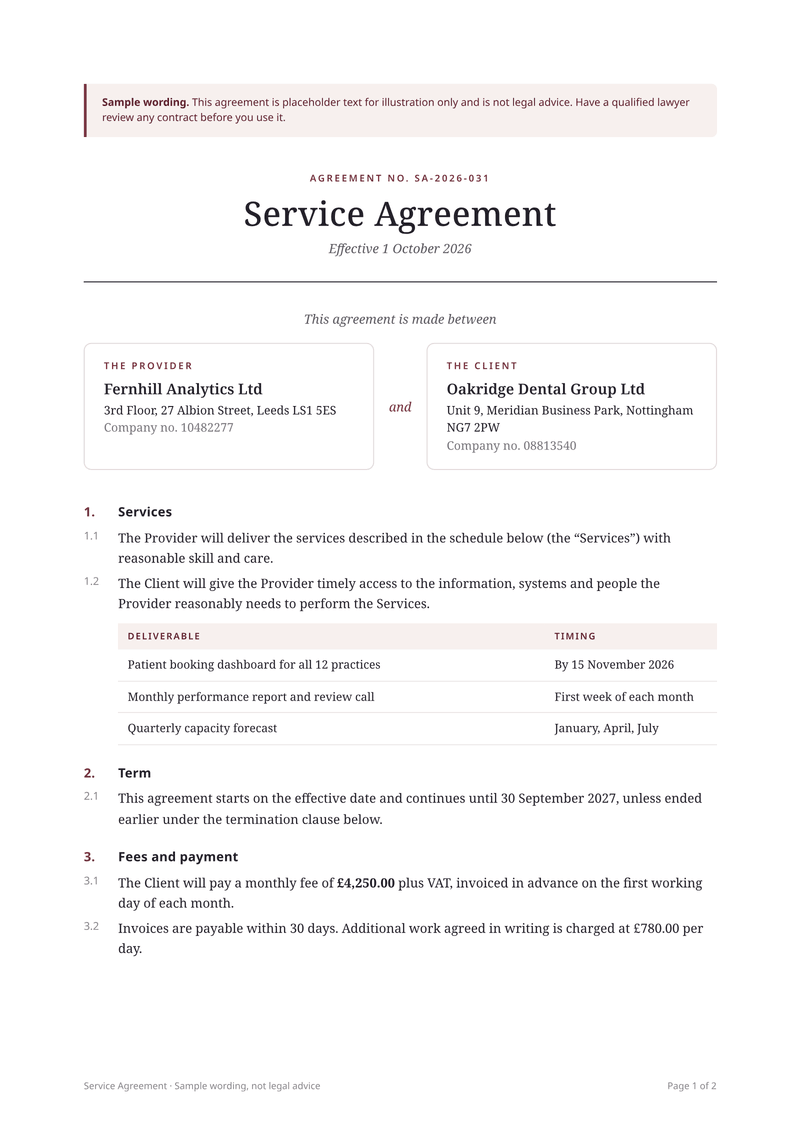
Service agreement
A4, portraitYour own agreement, filled in for each client, ready to sign.
Make your first invoice PDF
Sign up free and this template is ready for you. Add your logo and details, and download your first invoice in minutes. You get 100 free PDFs every month, and you don’t need a card.