How to use the Markdown to PDF
- Paste your Markdown. Notes, a README or any text with
#headings, lists and tables. - Add a title. Optional. It prints as the first heading and names the file.
- Convert and download. Press Convert to PDF. The document downloads with A4 pages and comfortable margins.
The Markdown it supports
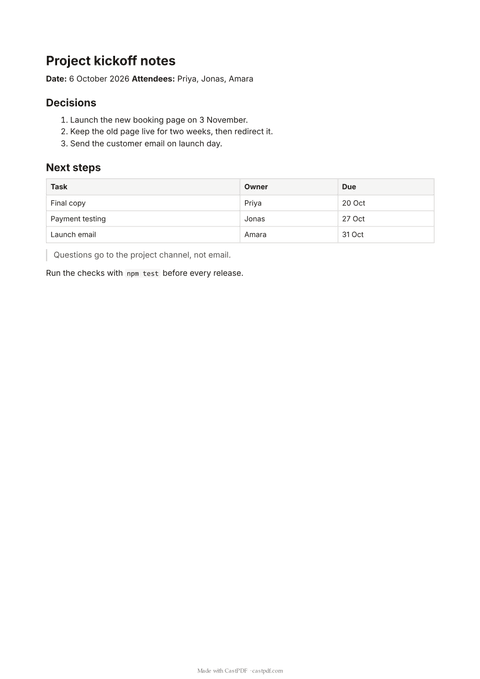
| Markdown | In the PDF |
|---|---|
# to ###### headings | Six heading levels, in clear steps of size |
**bold**, *italic*, ~~struck~~, ` code ` | The same emphasis in the text |
| Numbered and bulleted lists | One level of list |
| Pipe tables | A table with a shaded header row |
| Fenced code blocks | Monospaced, wrapped so long lines never run off the page |
> quotes and --- rules | An indented quote with a side line, and a thin rule |
Links to https: and mailto: addresses | Clickable links in the PDF |
Raw HTML inside the Markdown is printed as text, not run, and images are not loaded. That keeps the tool safe and the output predictable. If you need images or your own styles, the HTML to PDF converter takes HTML and CSS directly.
Markdown that prints well
- Start with one
#heading for the title, then use##for sections. A reader can scan the page by its headings. - Leave an empty line between paragraphs, lists and tables. Markdown needs it to tell them apart.
- Keep tables to a few columns. A wide table squeezes its text on A4 paper.
- Use a fenced code block for commands and code, so spacing is kept exactly.
Links stay clickable in the PDF, so a reader on screen can follow them. On paper, write the address out in full if people need it.
The page uses A4 paper with margins of about 18 mm, which prints well on Letter paper too. Each heading level has its own size, and code blocks get a light grey background so they stand out from the text.
What people convert
- Meeting notes written in a notes app, shared as a PDF with people outside the team.
- README files printed for a review, a handover or an audit.
- Short specs and proposals drafted in Markdown and sent to a client.
- Course notes that students want to print or annotate.
The typography is plain on purpose: a readable sans-serif font, clear heading sizes and enough white space. The aim is a document that prints well on any office printer, in colour or in black and white.
Limits of the free tool
| Input | Up to 200 KB of Markdown |
|---|---|
| Output | A PDF of up to 20 pages on A4 |
| Not supported | Images, raw HTML, nested lists and footnotes |
| How often | 10 requests a minute and 100 a day from one address |
| On every PDF | A small "Made with CastPDF" line in the footer |
Automate this
Doing this every week? The same engine runs behind the CastPDF API, with no footer on paid plans and 100 free PDFs a month to start.
With the API
Convert Markdown to HTML in your own code with any Markdown library, then send it to POST /v1/pdf with your own CSS for a branded document.
From a spreadsheet
Save a template with a Liquid field for each value, then make one PDF per row of a CSV or XLSX file with a batch.
In a no-code workflow
- CastPDF node for n8nAvailable
- Zapier appIn review
- Any tool with an HTTP step