What is inside the packing slip template
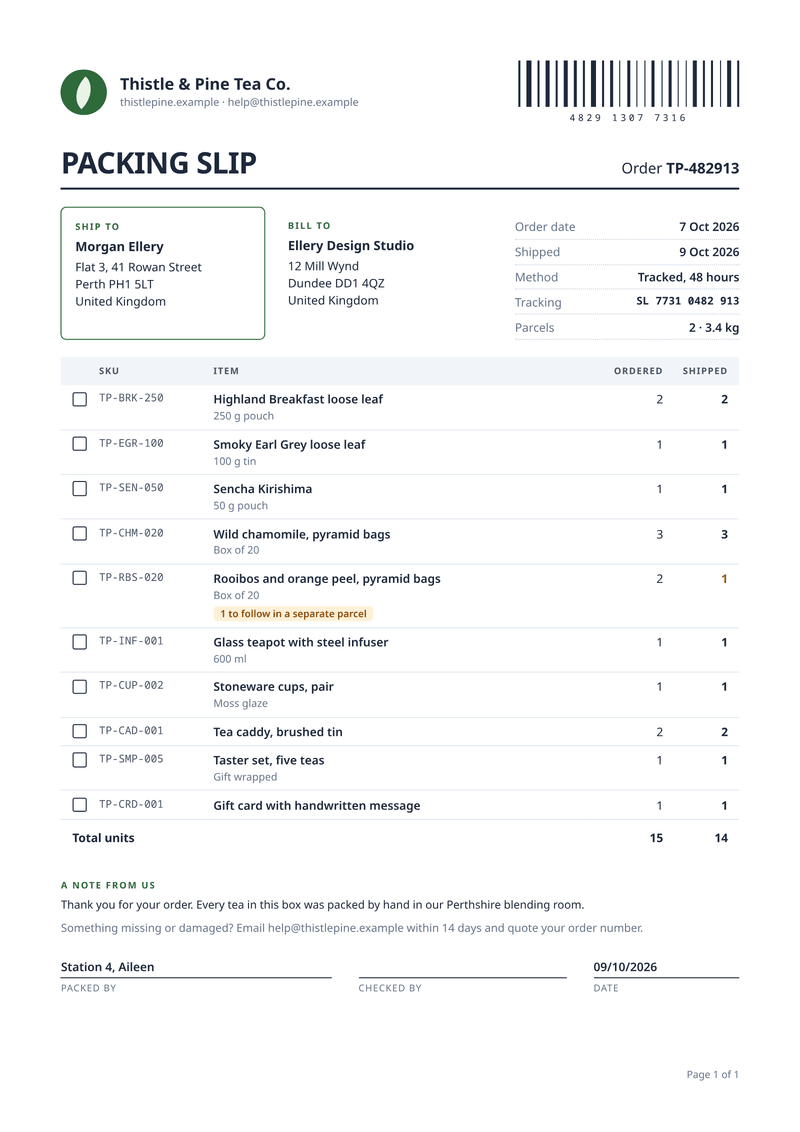
- Order code. The order number in large type, beside a striped strip made from its digits.
- Ship to and bill to. The delivery address in a framed box, with the billing address next to it.
- Shipment facts. Order date, dispatch date, method, tracking number, parcels and weight.
- Items. A tick box, the SKU, the name and variant, then ordered and shipped quantities.
- Note and returns. A short message to the customer and how to report a problem.
- Packed by. Lines for the packer, the checker and the date.
What this packing slip template is for
A packing slip travels inside the parcel. The customer checks it against what arrived, and your packer uses it to pick the order. Online shops, wholesalers and subscription boxes print one for every shipment.
It shows the ship-to and bill-to addresses, the order and dispatch dates, the method and the tracking number. Each item has its SKU, a short variant line, the quantity ordered and the quantity shipped.
Prices stay off the slip on purpose. Gifts and orders paid by someone else can go out without showing what anything cost.
What a good packing slip includes
- The order number, easy to spot at the top.
- The delivery address and, if different, the billing address.
- The shipping method, the tracking number and the number of parcels.
- Every item with its code, name and variant.
- The quantity ordered and the quantity actually shipped.
- A note on anything that follows in a later parcel.
- How to report a missing or damaged item.
The fields it fills
Each field fills one part of your packing slip. Send new details and the packing slip keeps its design. Leave out an optional field and its line simply disappears.
| Field | What it fills |
|---|---|
| General | |
locale | How numbers and dates are written, such as en-GB. |
| Shop | |
shop.name | Your shop’s name (your brand settings win). |
shop.website | Your website address. |
shop.email | Your customer service email. |
| Order | |
order.number | The order number. |
order.barcode | Digits for the striped strip at the top. |
order.date | The date of the order. |
order.message | A short note to the customer. |
order.returns | How to report a missing or damaged item. |
| Ship to | |
ship_to.name | Who the parcel is for. |
ship_to.address | Where it goes, one line per line. |
| Bill to | |
bill_to.name | Who paid. |
bill_to.address | The billing address. |
| Shipment | |
shipment.date | The day it left. |
shipment.method | The shipping service. |
shipment.tracking | The tracking number. |
shipment.parcels | How many parcels. |
shipment.weight | The total weight. |
shipment.packed_by | Who packed it, printed on the packed-by line. |
| Items | |
items[].sku | Your product code. |
items[].name | The product name. |
items[].variant | Size, colour or pack (optional). |
items[].ordered | How many were ordered. |
items[].shipped | How many are in this shipment. |
Make it automatically
Use the template in the dashboard once, then let your systems fill it. Every way below uses the same template, so a change to the design shows up everywhere.
From your app, with the API
One request per packing slip: the template id and your data in, the finished PDF out. Add deliver.email and CastPDF emails it too. The PDF endpoint.
From a spreadsheet
Upload a CSV or XLSX file with one row per order. One batch makes every PDF and hands them back in one ZIP. PDFs from a spreadsheet.
In a no-code workflow
- CastPDF node for n8nAvailable
- Zapier appIn review
- Make appIn review
- Any tool that can send a web request
One request from your app
Copy the template id from the editor and save it with your data in request.json. Then send the file. The reply is the finished PDF.
curl https://api.castpdf.com/v1/pdf \
  -H "Authorization: Bearer $CASTPDF_API_KEY" \
  -H "Content-Type: application/json" \
  -d @request.json \
  --output packing-slip.pdf
import { readFile, writeFile } from 'node:fs/promises';
const res = await fetch('https://api.castpdf.com/v1/pdf', {
method: 'POST',
headers: {
Authorization: `Bearer ${process.env.CASTPDF_API_KEY}`,
'Content-Type': 'application/json',
},
body: await readFile('request.json', 'utf8'),
});
if (!res.ok) throw new Error((await res.json()).error.message);
await writeFile('packing-slip.pdf', Buffer.from(await res.arrayBuffer()));import json, os
import requests
with open("request.json") as f:
body = json.load(f)
res = requests.post(
"https://api.castpdf.com/v1/pdf",
headers={"Authorization": f"Bearer {os.environ['CASTPDF_API_KEY']}"},
json=body,
timeout=60,
)
res.raise_for_status()
with open("packing-slip.pdf", "wb") as f:
f.write(res.content){
"template_id": "YOUR_TEMPLATE_ID",
"data": {
"locale": "en-GB",
"shop": {
"name": "Thistle & Pine Tea Co.",
"website": "thistlepine.example",
"email": "[email protected]"
},
"order": {
"number": "TP-482913",
"barcode": "4829 1307 7316",
"date": "2026-10-07",
"message": "Thank you for your order. Every tea in this box was packed by hand in our Perthshire blending room.",
"returns": "Something missing or damaged? Email [email protected] within 14 days and quote your order number."
},
"ship_to": {
"name": "Morgan Ellery",
"address": "Flat 3, 41 Rowan Street\nPerth PH1 5LT\nUnited Kingdom"
},
"bill_to": {
"name": "Ellery Design Studio",
"address": "12 Mill Wynd\nDundee DD1 4QZ\nUnited Kingdom"
},
"shipment": {
"date": "2026-10-09",
"method": "Tracked, 48 hours",
"tracking": "SL 7731 0482 913",
"parcels": 2,
"weight": "3.4 kg",
"packed_by": "Station 4, Aileen"
},
"items": [
{
"sku": "TP-BRK-250",
"name": "Highland Breakfast loose leaf",
"variant": "250 g pouch",
"ordered": 2,
"shipped": 2
},
{
"sku": "TP-EGR-100",
"name": "Smoky Earl Grey loose leaf",
"variant": "100 g tin",
"ordered": 1,
"shipped": 1
},
{
"sku": "TP-SEN-050",
"name": "Sencha Kirishima",
"variant": "50 g pouch",
"ordered": 1,
"shipped": 1
},
{
"sku": "TP-CHM-020",
"name": "Wild chamomile, pyramid bags",
"variant": "Box of 20",
"ordered": 3,
"shipped": 3
},
{
"sku": "TP-RBS-020",
"name": "Rooibos and orange peel, pyramid bags",
"variant": "Box of 20",
"ordered": 2,
"shipped": 1
},
{
"sku": "TP-INF-001",
"name": "Glass teapot with steel infuser",
"variant": "600 ml",
"ordered": 1,
"shipped": 1
},
{
"sku": "TP-CUP-002",
"name": "Stoneware cups, pair",
"variant": "Moss glaze",
"ordered": 1,
"shipped": 1
},
{
"sku": "TP-CAD-001",
"name": "Tea caddy, brushed tin",
"ordered": 2,
"shipped": 2
},
{
"sku": "TP-SMP-005",
"name": "Taster set, five teas",
"variant": "Gift wrapped",
"ordered": 1,
"shipped": 1
},
{
"sku": "TP-CRD-001",
"name": "Gift card with handwritten message",
"ordered": 1,
"shipped": 1
}
]
}
}New to the API? The quickstart gets you from a free key to your first PDF in about five minutes.
Make one without code
- Sign up free. You do not need a card. "Use this template" opens the editor with this template ready.
- Open the packing slip template. Put your own details into the packing slip’s sample data, and change the words and colours.
- Check the preview. It updates as you type and is free. Every page carries a small “Preview” label.
- Generate the PDF. Verify your email and press Generate PDF for a clean copy. It counts as one PDF on your plan.
Make it yours
- Print it on plain A4 or Letter paper and fold it into the box.
- Put your returns address and time limit in the returns note.
- Add a bin or shelf column if your packers pick from locations.
- Change the note to the customer for each season or campaign.
- Every save is a new version, and your last 50 versions are kept.
Short shipments, explained on the slip
Sometimes one item is out of stock and the rest ships anyway. A plain list makes the customer think something went missing.
This template compares the two quantities on every line. When fewer were shipped, a small label says how many follow in a separate parcel. The totals row shows units ordered and units shipped.
The striped strip by the order number is only decoration made from its digits. Scanners cannot read it.
Questions about packing slip templates
What is a packing slip?
What is the difference between a packing slip and an invoice?
Should a packing slip show prices?
Can I print packing slips for every new order?
Can I add a real barcode or QR code?
Is there a free packing slip generator?
What paper should I print packing slips on?
More templates
- Shipping · A4, portrait
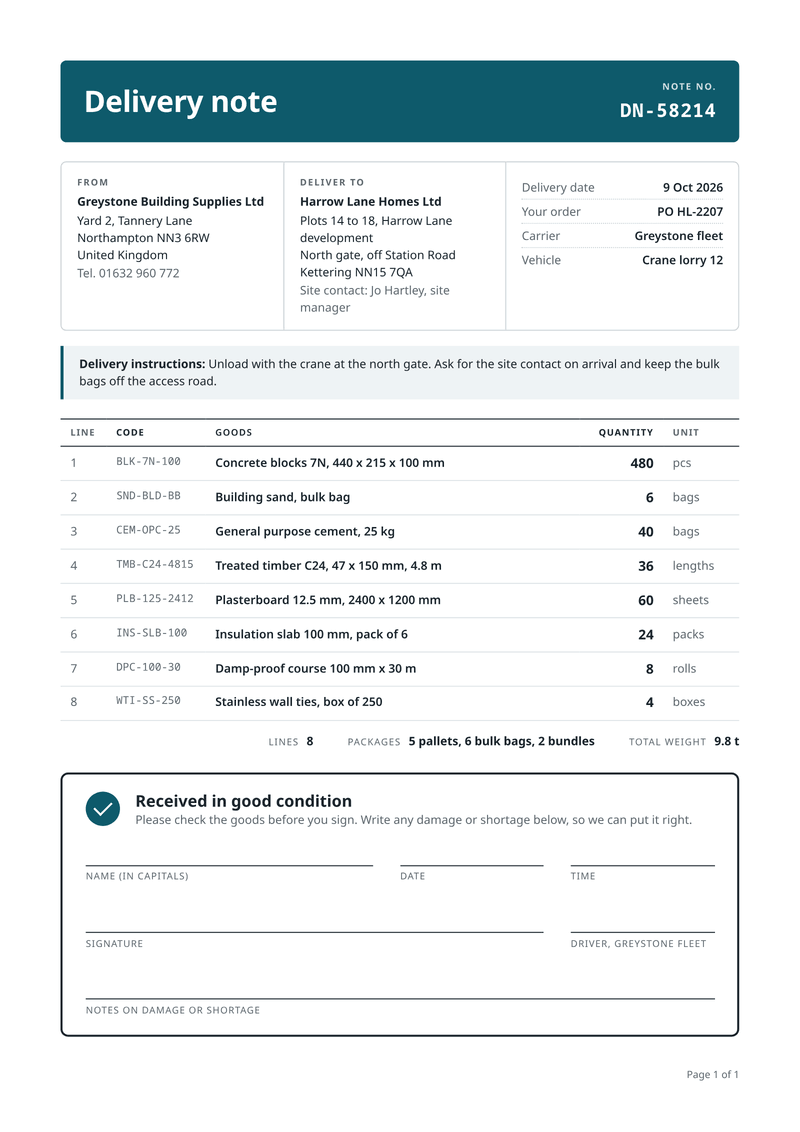
Delivery note
Proof of delivery, signed by whoever received it. - Billing · A4, portrait
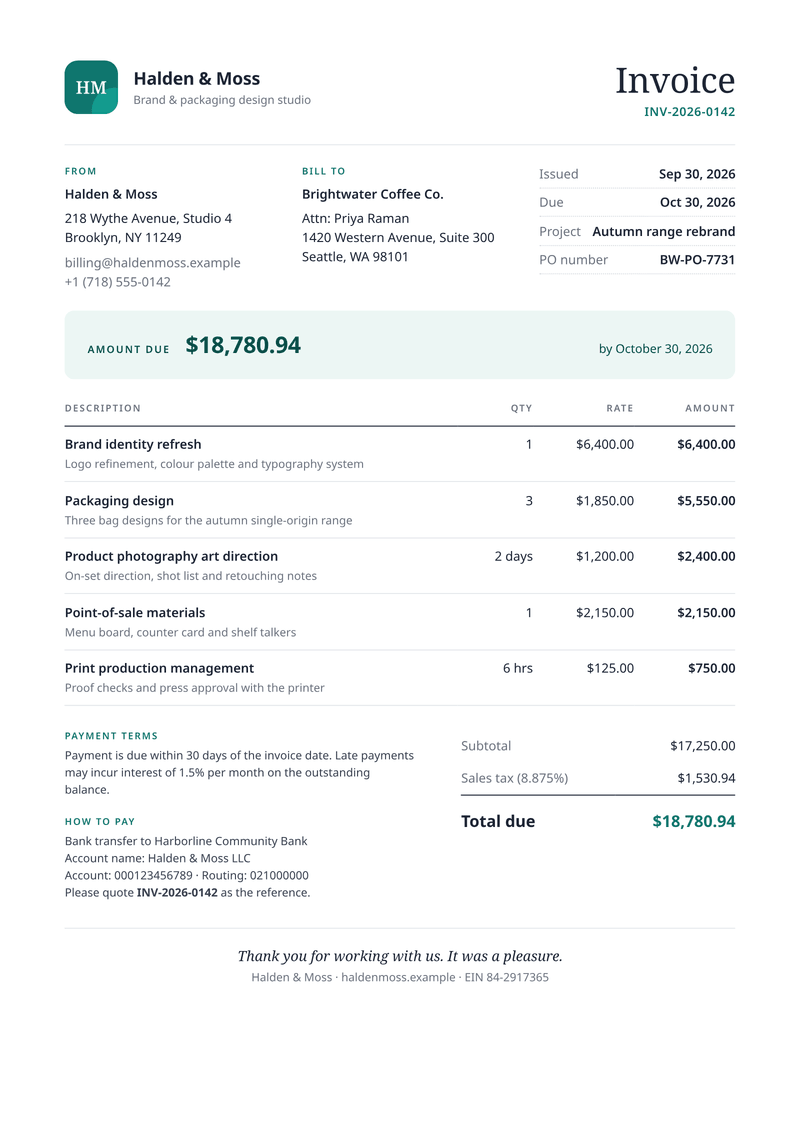
Invoice
Get paid faster: discounts, VAT per line and totals worked out for you. - Billing · 80 × 170 mm
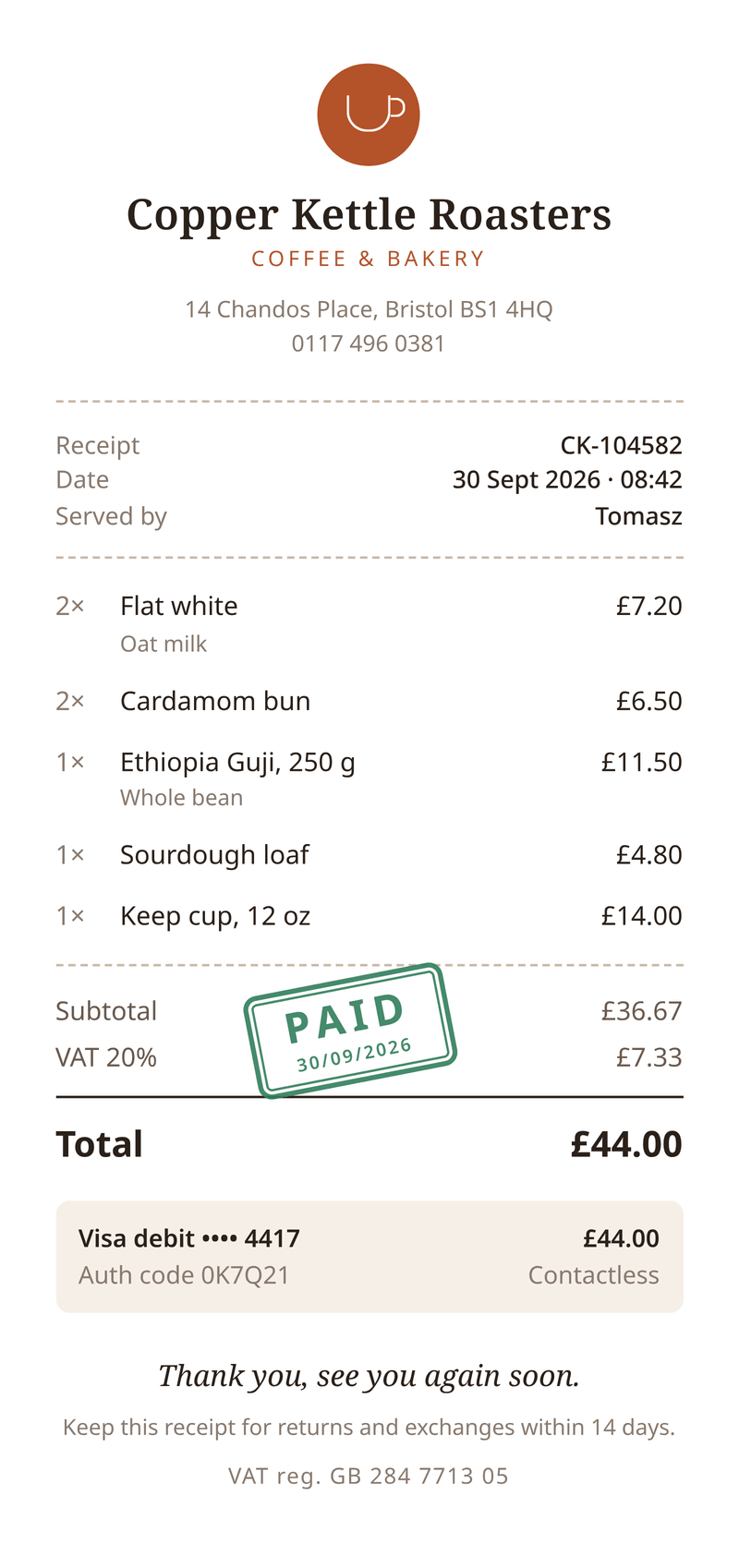
Receipt
Send customers a receipt with items, VAT and a paid stamp.