What is inside the credit note template
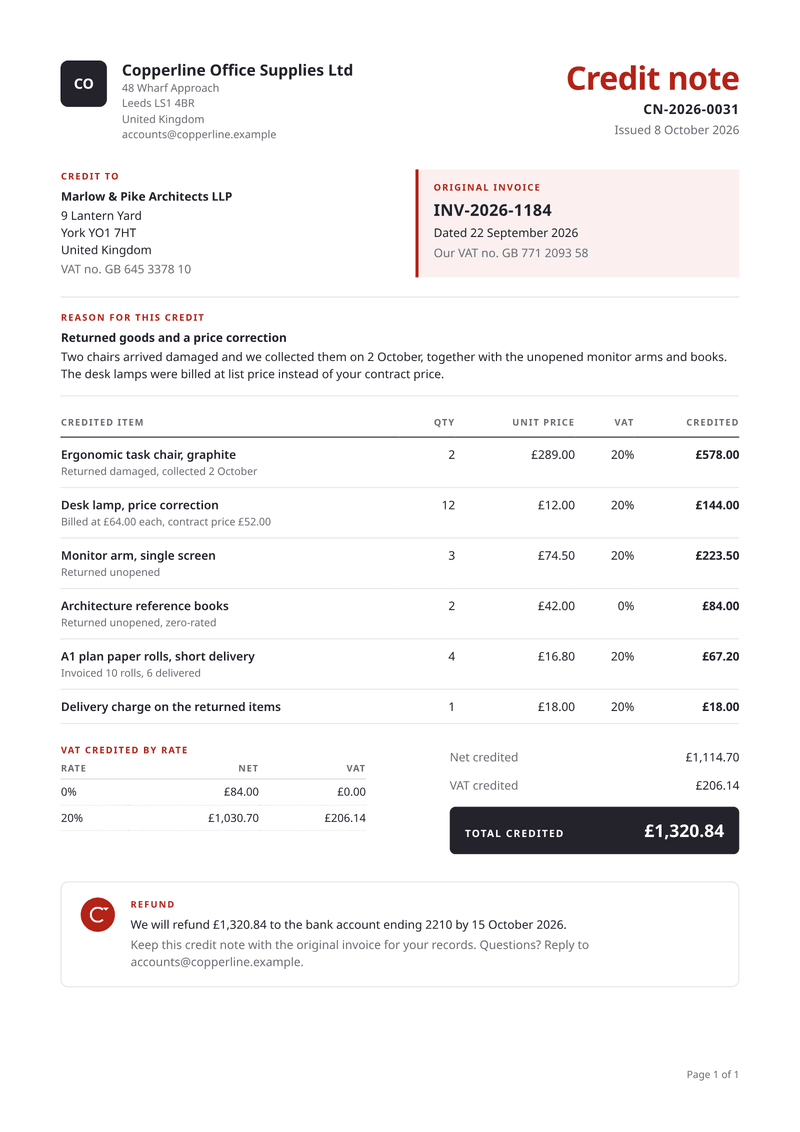
- Original invoice. The number and date of the invoice this credit corrects, in a highlighted box.
- Reason. A short title and one or two sentences on why money is credited.
- Credited items. Quantity, unit price, VAT rate and the amount credited on every line.
- VAT by rate. Net and VAT credited for each rate, next to the totals.
- Total credited. A dark bar with the amount the customer gets back.
- Settlement. A refund to an account, or an offset against the next invoice.
What this credit note template is for
An invoice, once sent, should stay as it is. If the customer returns goods, was overcharged or cancels part of an order, you issue a credit note instead. It lowers what they owe by a clear amount.
This template prints the original invoice number and date in a highlighted box. Below it, a short reason explains the credit. Each credited item shows the quantity, the unit price, the VAT rate and the amount credited.
The last block says how the credit is settled. Choose a refund to the customer, or an offset against their next invoice.
What a good credit note includes
- The title "Credit note" and its own number, apart from your invoice numbers.
- The number and date of the invoice it corrects.
- The reason for the credit, in a sentence or two.
- Each credited item, with quantity, price and tax rate.
- The tax credited for each rate, and the total credited.
- Whether you refund the money or deduct it from a later invoice.
- Your tax number, and the customer’s where the invoice showed it.
The fields it fills
Each field fills one part of your credit note. Send new details and the credit note keeps its design. Leave out an optional field and its line simply disappears.
| Field | What it fills |
|---|---|
| General | |
currency | Currency for every amount, such as GBP. |
locale | How numbers and dates are written, such as en-GB. |
| Seller | |
seller.name | Your business name (your brand settings win). |
seller.initials | The letters in the square mark, when you have no logo. |
seller.address | Your address, one line per line. |
seller.email | Where the customer can ask questions. |
seller.tax_id | Your VAT number. |
| Customer | |
customer.name | The customer’s name. |
customer.address | The customer’s address. |
customer.tax_id | The customer’s VAT number (optional). |
| Credit note | |
credit_note.number | The credit note’s own number. |
credit_note.issued | The date of the credit note. |
credit_note.invoice_number | The number of the invoice it corrects. |
credit_note.invoice_date | The date of that invoice. |
credit_note.reason | The reason in a few words. |
credit_note.reason_detail | One or two sentences on what happened. |
| Settlement | |
settlement.method | refund, or offset to take it off the next invoice. |
settlement.account | Where a refund goes, such as the account ending 2210. |
settlement.date | When the refund is paid or the offset applies (optional). |
settlement.note | A closing note, such as who to contact. |
| Items | |
items[].description | What is credited, one line each. |
items[].detail | What happened to it, such as returned unopened (optional). |
items[].quantity | How many. |
items[].unit_price | The amount credited for one, before VAT. |
items[].vat_rate | The VAT rate of the line, as on the original invoice. |
Make it automatically
Use the template in the dashboard once, then let your systems fill it. Every way below uses the same template, so a change to the design shows up everywhere.
From your app, with the API
One request per credit note: the template id and your data in, the finished PDF out. Add deliver.email and CastPDF emails it too. The PDF endpoint.
From a spreadsheet
Upload a CSV or XLSX file with one row per credit note. One batch makes every PDF and hands them back in one ZIP. PDFs from a spreadsheet.
In a no-code workflow
- CastPDF node for n8nAvailable
- Zapier appIn review
- Make appIn review
- Any tool that can send a web request
One request from your app
Copy the template id from the editor and save it with your data in request.json. Then send the file. The reply is the finished PDF.
curl https://api.castpdf.com/v1/pdf \
  -H "Authorization: Bearer $CASTPDF_API_KEY" \
  -H "Content-Type: application/json" \
  -d @request.json \
  --output credit-note.pdf
import { readFile, writeFile } from 'node:fs/promises';
const res = await fetch('https://api.castpdf.com/v1/pdf', {
method: 'POST',
headers: {
Authorization: `Bearer ${process.env.CASTPDF_API_KEY}`,
'Content-Type': 'application/json',
},
body: await readFile('request.json', 'utf8'),
});
if (!res.ok) throw new Error((await res.json()).error.message);
await writeFile('credit-note.pdf', Buffer.from(await res.arrayBuffer()));import json, os
import requests
with open("request.json") as f:
body = json.load(f)
res = requests.post(
"https://api.castpdf.com/v1/pdf",
headers={"Authorization": f"Bearer {os.environ['CASTPDF_API_KEY']}"},
json=body,
timeout=60,
)
res.raise_for_status()
with open("credit-note.pdf", "wb") as f:
f.write(res.content){
"template_id": "YOUR_TEMPLATE_ID",
"data": {
"currency": "GBP",
"locale": "en-GB",
"seller": {
"name": "Copperline Office Supplies Ltd",
"initials": "CO",
"address": "48 Wharf Approach\nLeeds LS1 4BR\nUnited Kingdom",
"email": "[email protected]",
"tax_id": "GB 771 2093 58"
},
"customer": {
"name": "Marlow & Pike Architects LLP",
"address": "9 Lantern Yard\nYork YO1 7HT\nUnited Kingdom",
"tax_id": "GB 645 3378 10"
},
"credit_note": {
"number": "CN-2026-0031",
"issued": "2026-10-08",
"invoice_number": "INV-2026-1184",
"invoice_date": "2026-09-22",
"reason": "Returned goods and a price correction",
"reason_detail": "Two chairs arrived damaged and we collected them on 2 October, together with the unopened monitor arms and books. The desk lamps were billed at list price instead of your contract price."
},
"settlement": {
"method": "refund",
"account": "the bank account ending 2210",
"date": "2026-10-15",
"note": "Keep this credit note with the original invoice for your records. Questions? Reply to [email protected]."
},
"items": [
{
"description": "Ergonomic task chair, graphite",
"detail": "Returned damaged, collected 2 October",
"quantity": 2,
"unit_price": 289,
"vat_rate": 20
},
{
"description": "Desk lamp, price correction",
"detail": "Billed at £64.00 each, contract price £52.00",
"quantity": 12,
"unit_price": 12,
"vat_rate": 20
},
{
"description": "Monitor arm, single screen",
"detail": "Returned unopened",
"quantity": 3,
"unit_price": 74.5,
"vat_rate": 20
},
{
"description": "Architecture reference books",
"detail": "Returned unopened, zero-rated",
"quantity": 2,
"unit_price": 42,
"vat_rate": 0
},
{
"description": "A1 plan paper rolls, short delivery",
"detail": "Invoiced 10 rolls, 6 delivered",
"quantity": 4,
"unit_price": 16.8,
"vat_rate": 20
},
{
"description": "Delivery charge on the returned items",
"quantity": 1,
"unit_price": 18,
"vat_rate": 20
}
]
}
}New to the API? The quickstart gets you from a free key to your first PDF in about five minutes.
Make one without code
- Sign up free. You do not need a card. "Use this template" opens the editor with this template ready.
- Open the credit note template. Put your own details into the credit note’s sample data, and change the words and colours.
- Check the preview. It updates as you type and is free. Every page carries a small “Preview” label.
- Generate the PDF. Verify your email and press Generate PDF for a clean copy. It counts as one PDF on your plan.
Make it yours
- Set settlement.method to offset and the offset wording replaces the refund line.
- Use the detail under each item to say what happened, such as short delivery.
- Cancelling a whole invoice? Copy every line of the original.
- Keep each VAT rate exactly as it was on the original invoice.
- Every save is a new version, and your last 50 versions are kept.
Refund or offset, chosen per credit note
Customers want to know when the money arrives. The settlement block answers that in one line, with the amount and the date.
With refund, it names the account the money goes to. With offset, it says the amount comes off the next invoice. A note underneath can carry anything else, such as a contact address.
Questions about credit note templates
What is a credit note?
When should I issue a credit note instead of a new invoice?
Does a credit note need its own number?
How is VAT handled on a credit note?
Should a credit note show negative amounts?
Can I send credit notes automatically when a return is processed?
Can I credit only part of an invoice?
More templates
- Billing · A4, portrait
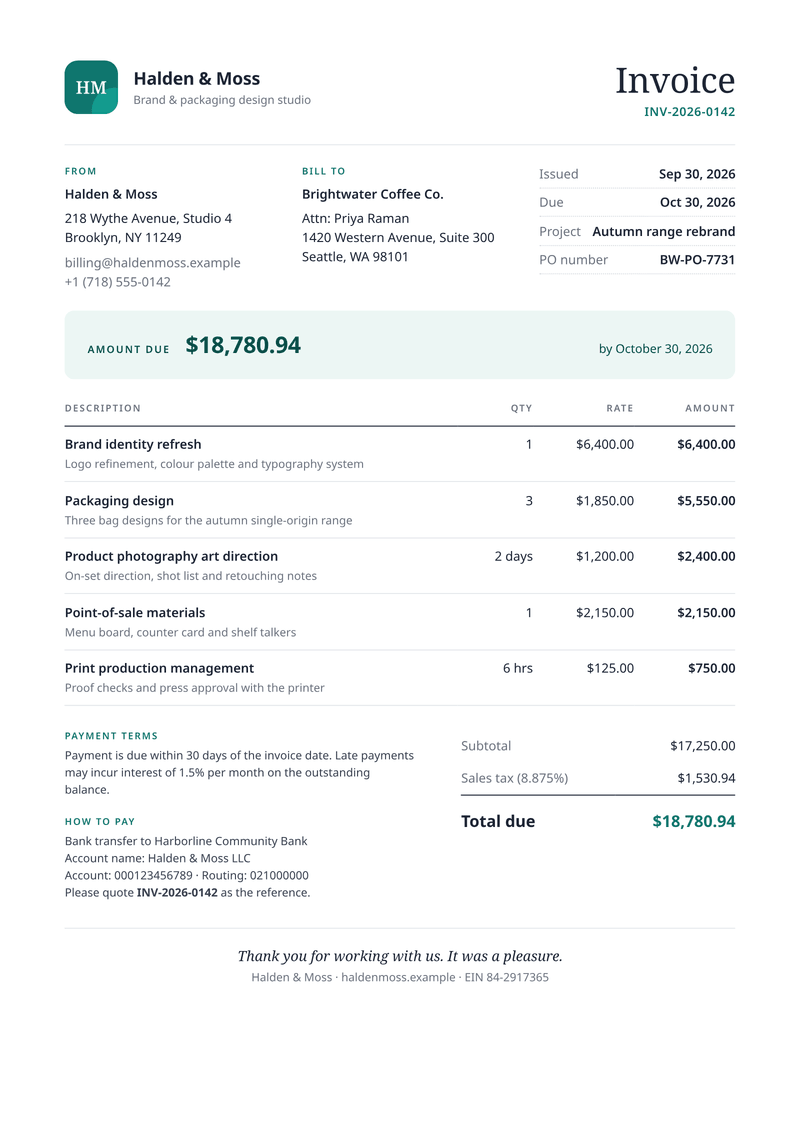
Invoice
Get paid faster: discounts, VAT per line and totals worked out for you. - Billing · 80 × 170 mm
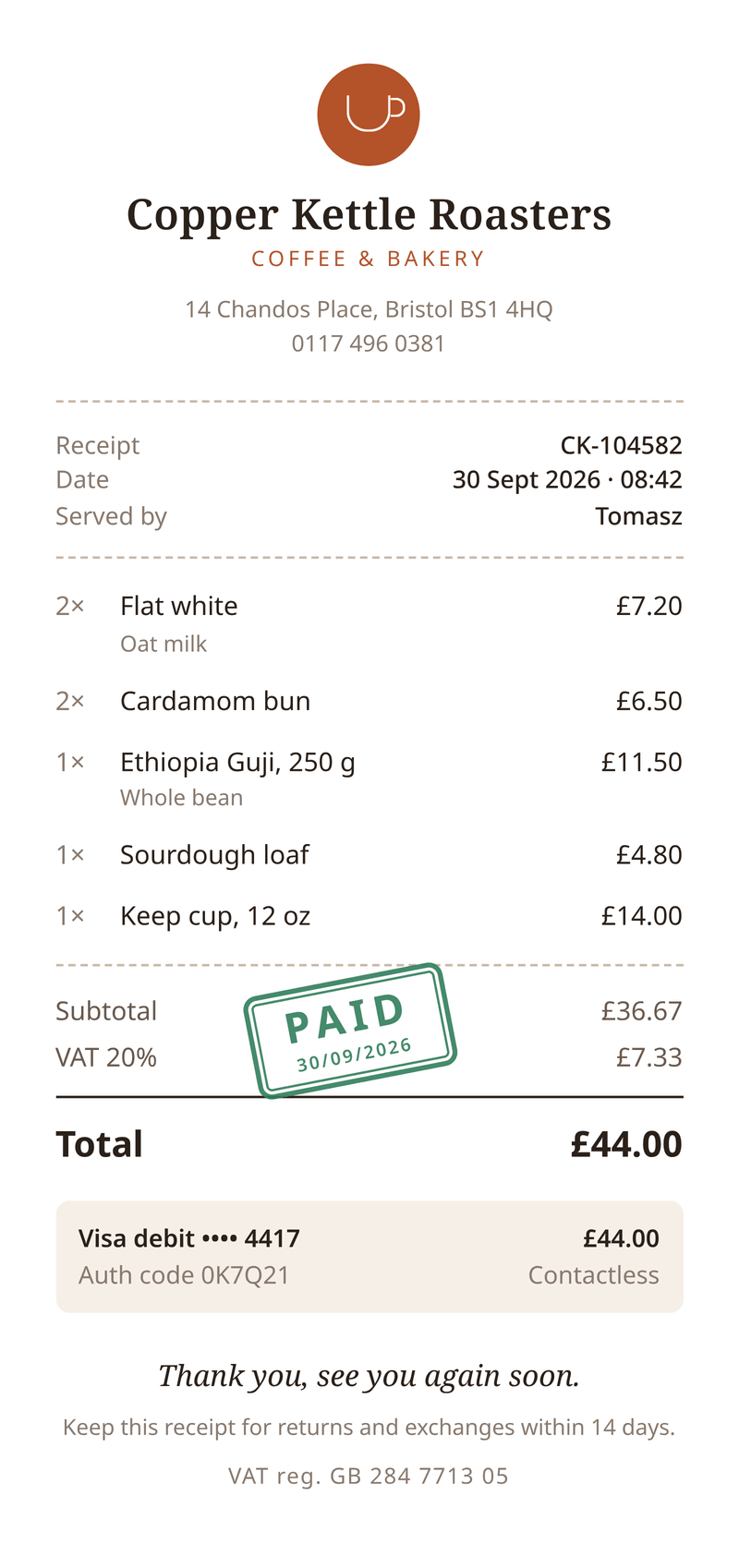
Receipt
Send customers a receipt with items, VAT and a paid stamp. - Billing · A4, portrait
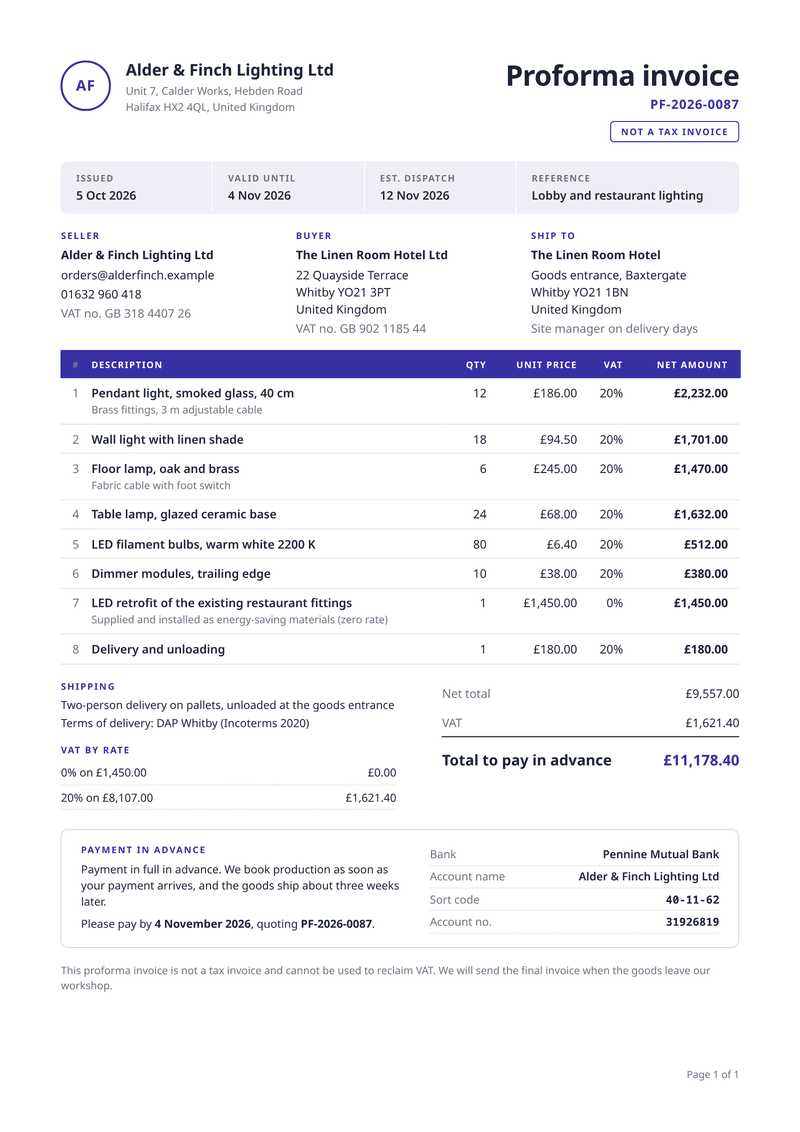
Proforma invoice
Ask for payment up front, before the goods leave.